
Lastmark: When Did I Last? · iPhone app · Widgets, Siri & Shortcuts
Know when you last did it.
A quiet, private log for haircuts, filters, oil changes, and checkups — the occasional stuff that doesn’t belong on a daily to-do list.
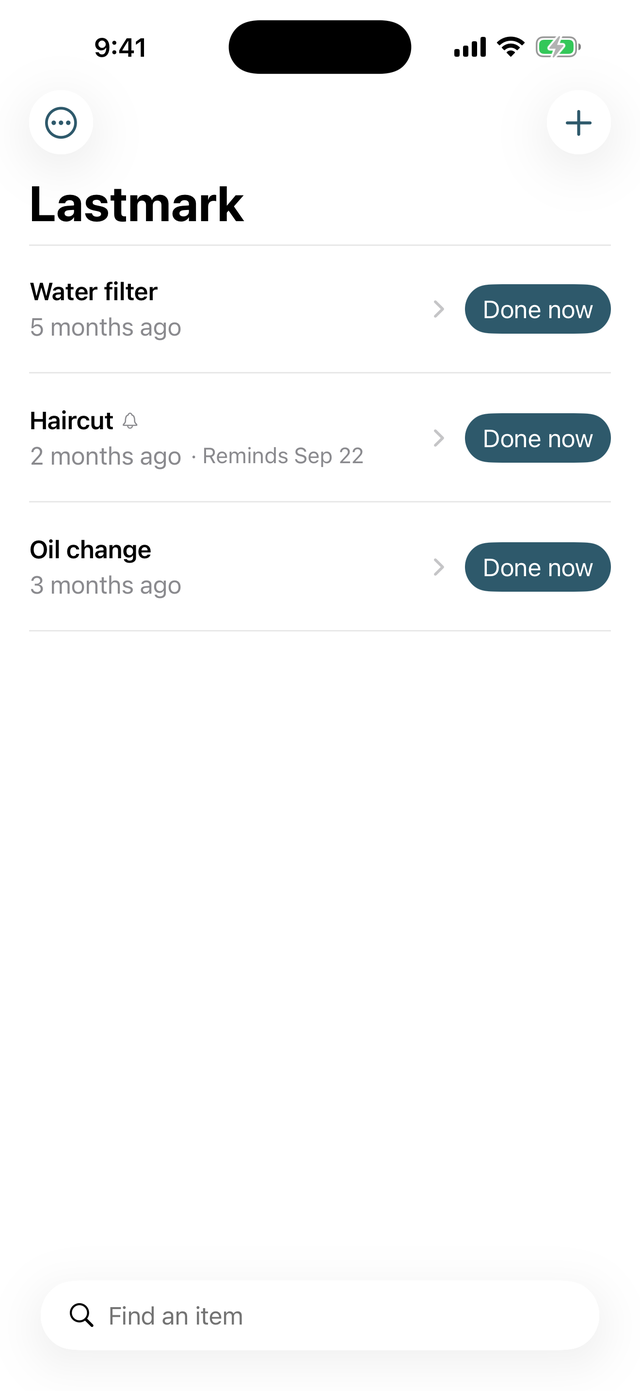
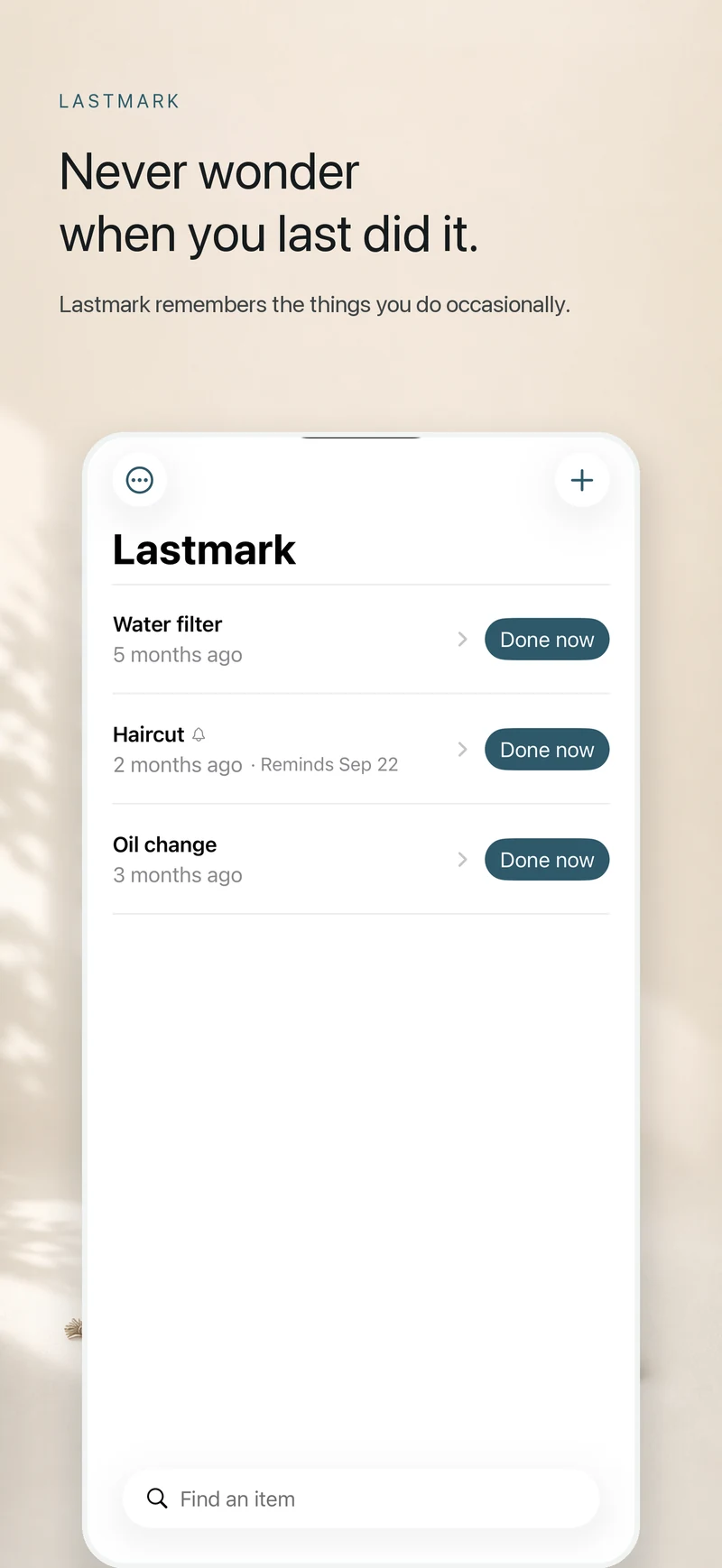
Create an item, tap Done now when it happens, and Lastmark will tell you exactly how long it has been, without streaks, scores, or judgment.
- No account
- No ads or tracking SDKs
- No subscription
- Built for Apple platforms
15-second walkthrough
See Lastmark in motion.
Watch how quickly you can mark an occasional task done and see the elapsed time that Lastmark keeps ready for the next time you wonder.
Watch on YouTubeThe three-second loop
Log it now. Remember it later.
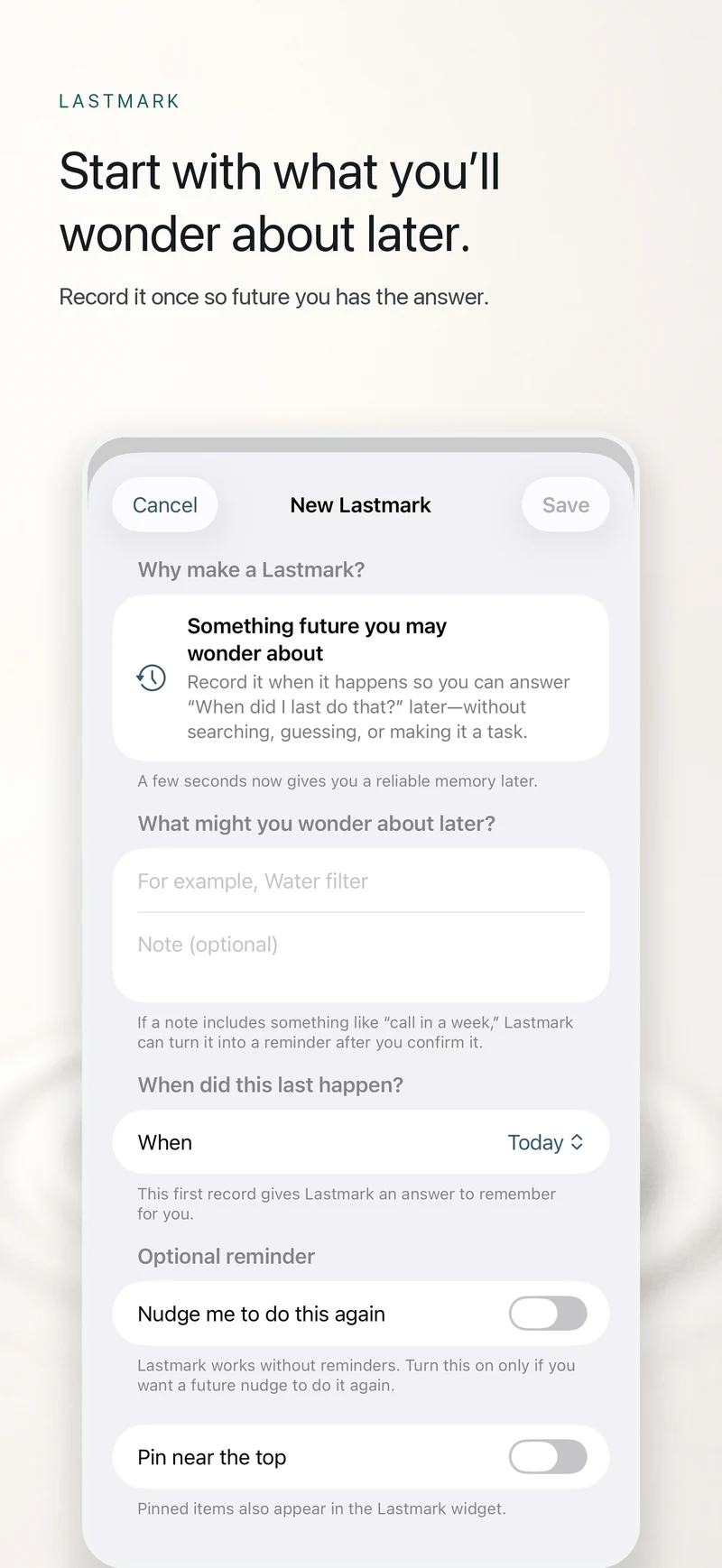
Create what matters
Add anything whose timing is easy to forget, from a haircut to a furnace filter.
Tap Done now
Lastmark records the date and time. Made a mistake? Undo it right away.
See the elapsed time
Come back later and see the answer at a glance.
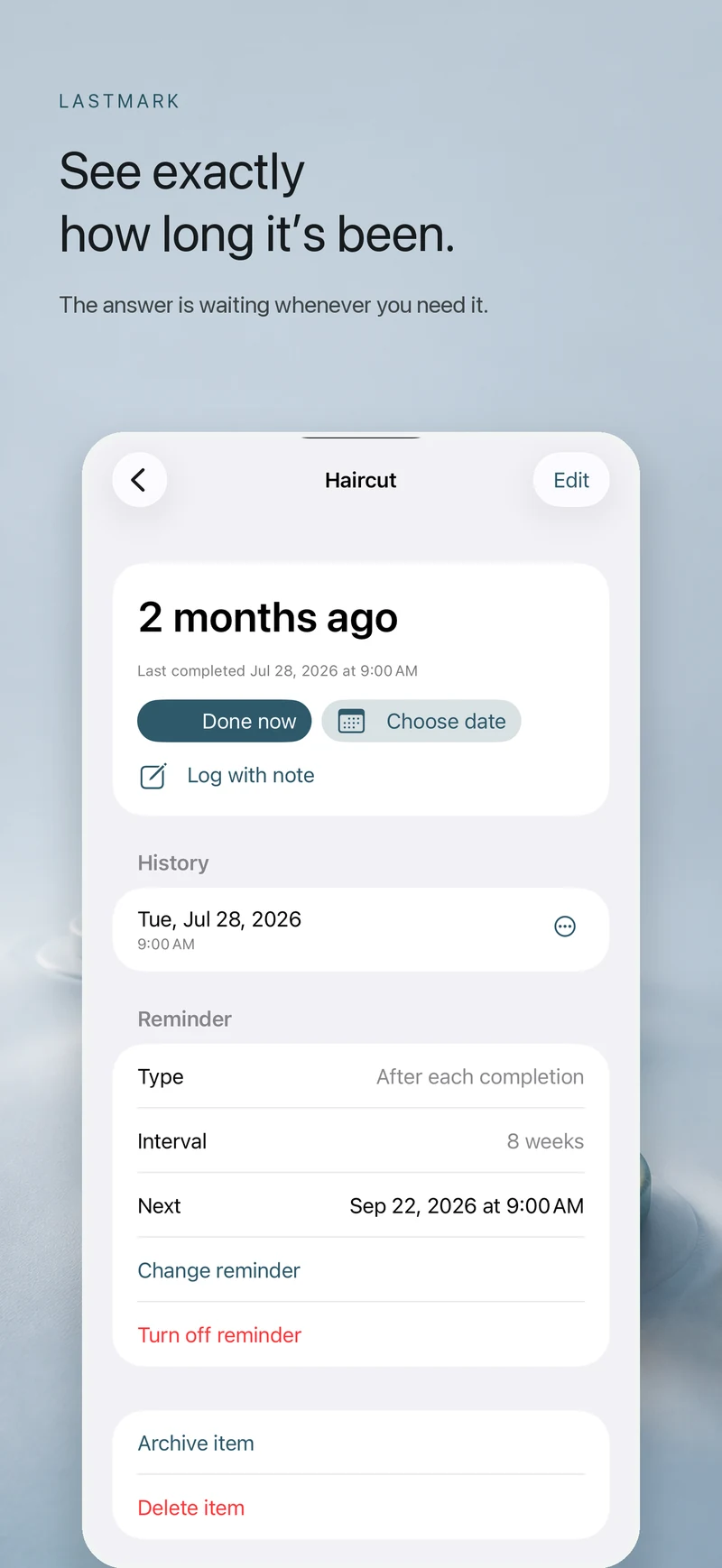
Not everything needs a streak.
Some things matter precisely because they happen occasionally. Lastmark keeps a clear history and gives you the answer without goals, badges, red days, or guilt.
Not a to-do list. To-do lists nag about what’s next. Lastmark just answers: when did I last do this?
- Haircut
- Water filter
- Oil change
- Dental cleaning
- Smoke alarm batteries
- Pet medication
- Appliance maintenance
- Call the specialist
A reminder when you want one.
Choose a one-time follow-up or a reminder after every completion. Lastmark understands simple phrases such as “call in a week” or “every six weeks” on your device and lets you confirm the date before saving it.
- Custom date and time.
- Preset or custom snooze.
- One optional gentle follow-up.
- Notifications remain optional; the app works without them.
- Reminders are optional. They back up the history, they don't turn it into homework.
Anywhere you need it
One tap away.
Widgets
Keep pinned items on the Home Screen or choose one item for the Lock Screen.
Siri & Shortcuts
Log an item or ask when it was last done.
Backup & export
Export a readable CSV or make a complete backup whenever you choose.
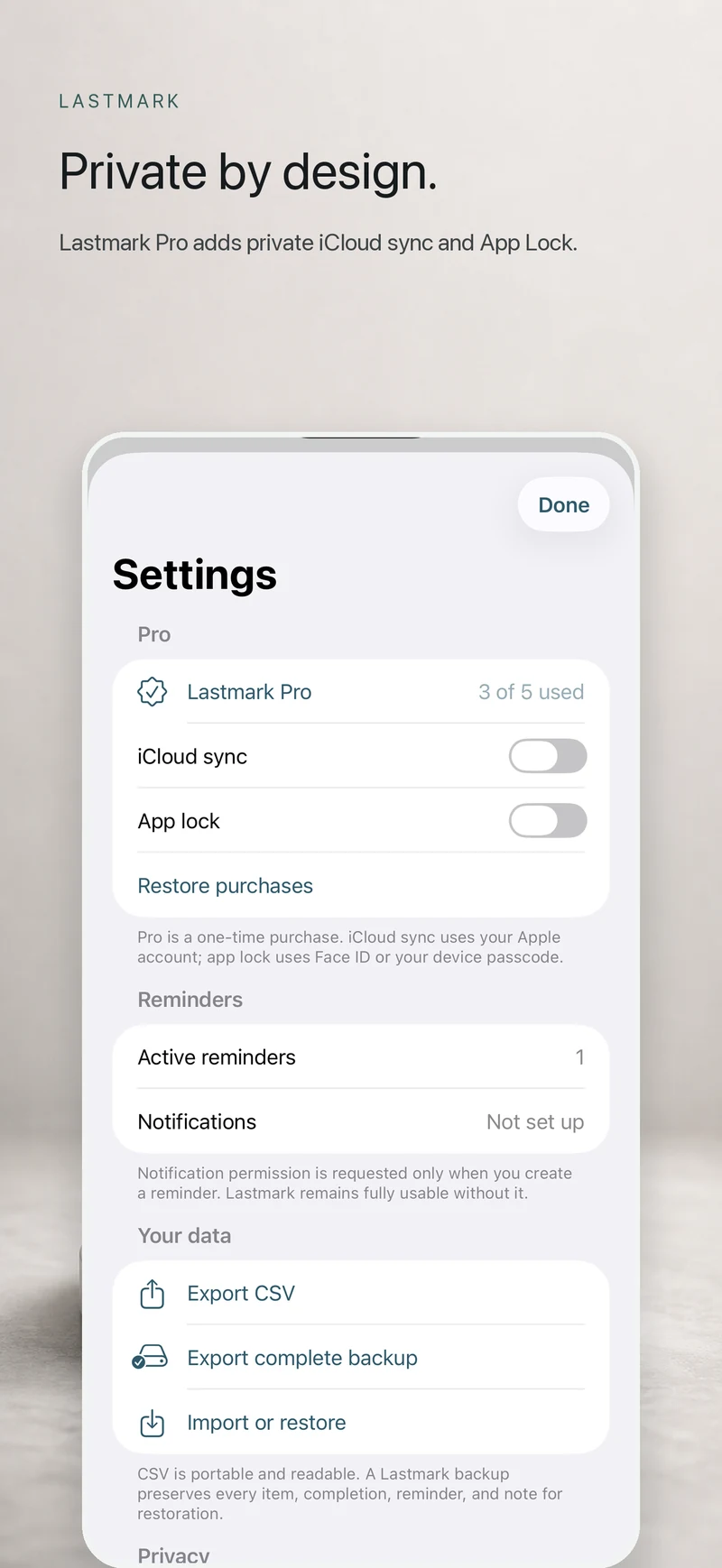
Private iCloud sync
Pro can keep your library current through your private Apple account.
The detail is there when you need it.
Backdate a completion, add a note, correct a mistake, or see a neutral summary of your typical timing. Export a readable CSV or make a complete backup whenever you choose.
Private by default.
Lastmark does not require an account and does not include advertising or analytics SDKs. Your library is stored on your devices. Optional iCloud sync uses your private Apple account, and exports leave the app only when you choose to share them.
Free to start. Pay once for Pro.
One purchase. Keep it forever. No subscription.
Lastmark
Free
- Up to five active Lastmarks and unlimited completion history.
- Widgets and export.
- Siri and Shortcuts actions.
- One active reminder.
Lifetime Pro
US $5.99 once
No subscription.
- Unlimited Lastmarks.
- Unlimited reminders.
- Private iCloud sync.
- App Lock (Face ID or device passcode).
No subscription, ads, account, or time-limited trial. App Store pricing may vary by region. Restore Purchases is supported.
Quick answers
What people ask about Lastmark.
Lastmark: When Did I Last? is deliberately smaller than a habit tracker or task manager. These are the essentials.
- What is Lastmark: When Did I Last?
- Lastmark is a private iPhone app for recording occasional tasks and seeing exactly how long it has been since each one. It is useful for things like oil changes, filters, haircuts, checkups, and pet medication.
- How can I remember when I last did something?
- Create an item in Lastmark, then tap Done now whenever it happens. Lastmark records the date and time, keeps the history, and shows the elapsed time the next time you need the answer.
- Is Lastmark a habit tracker or to-do list?
- No. Lastmark is a record of what already happened, not a streak-based habit tracker or a list of tasks you must finish. Reminders are optional and support the history rather than replacing it.
- Does Lastmark require an account or subscription?
- No. Lastmark requires no account and includes no ads or analytics SDKs. The complete logging experience is free, and an optional US $5.99 one-time Pro purchase adds unlimited reminders, private iCloud sync, and App Lock.
- Does Lastmark work with widgets, Siri, and Shortcuts?
- Yes. Lastmark includes Home Screen and Lock Screen widgets, and Siri and Shortcuts actions for logging an item or asking when it was last done.
The next time you wonder, you’ll know.
A NovoBuild app, ready when the question comes up.
Get Lastmark on the App StoreDesigned for
Lastmark: When Did I Last? — Resources